FridgeBuddy 2.34: Fruits and vegetables
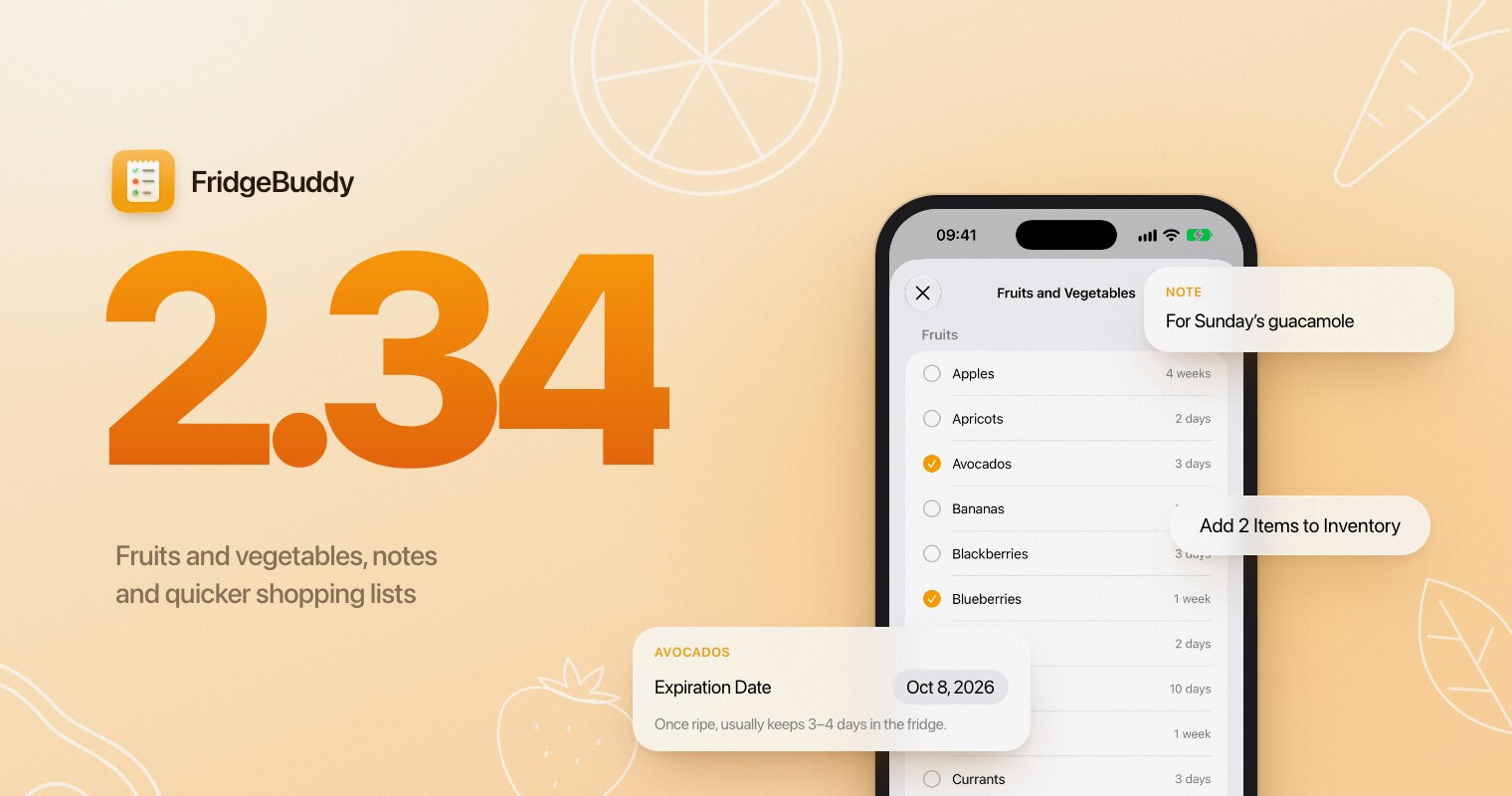
FridgeBuddy 2.34 is out. This update is about the food that never comes with a printed date: fruits and vegetables now get a suggested expiration date. You can also keep a note on any item, and shopping lists stop interrupting you while you check things off. Here is a quick tour.
Dates for fruits and vegetables
Strawberries, carrots or a head of lettuce rarely have a date on them, which is exactly why they get forgotten at the back of the fridge. Tap +, choose Fruits and Vegetables and tick what you bought. Each one gets a suggested expiration date based on the storage times in the USDA’s FoodKeeper, with a hint such as “Once ripe, usually keeps 3–4 days in the fridge.”
Typing the name of a fruit or vegetable when you add an item by hand suggests a date too. Every date can still be changed, and if your bananas always last longer than the suggestion, set your own keeping time for them in Settings.
If + opens the scanner directly, touch and hold it to see the menu.
Notes on your items
Any item can now carry a note: what it is for, where you put it, who it belongs to. Edit the item and write it in the last field of the form.
The note then shows in the item’s details. Search and Spotlight find it, CSV exports include it, and it is shared with your household along with the rest of the item.




Quicker shopping lists
Checking an item off a shopping list no longer asks you anything, so you can tick things off as they go into the cart.
When you’re done, one button adds everything you checked to your inventory. A short review lets you choose the storage and the dates, and fresh produce gets its suggested date there as well. The items then leave the list.
Polish everywhere else
Most screens got a round of care in this release:
- Inventory rows behave like native iOS rows: touch and hold for the full context menu, and swipe for clearer actions.
- Expiration dates are colored by urgency, and an item’s details count days like the list does, with Today, Tomorrow and Yesterday.
- The header of an item’s details is easier to read.
- Insights shows correct figures again, its charts are easier to read, and you can share them.
- Settings, titles and sheets are more consistent, and FridgeBuddy asks before discarding changes you haven’t saved.
- On iPad, the tabs stay the same at every window size, Inventory shows your storages in a sidebar beside their items, and resizing a window keeps your place.