FridgeBuddy 2.37: How much is left
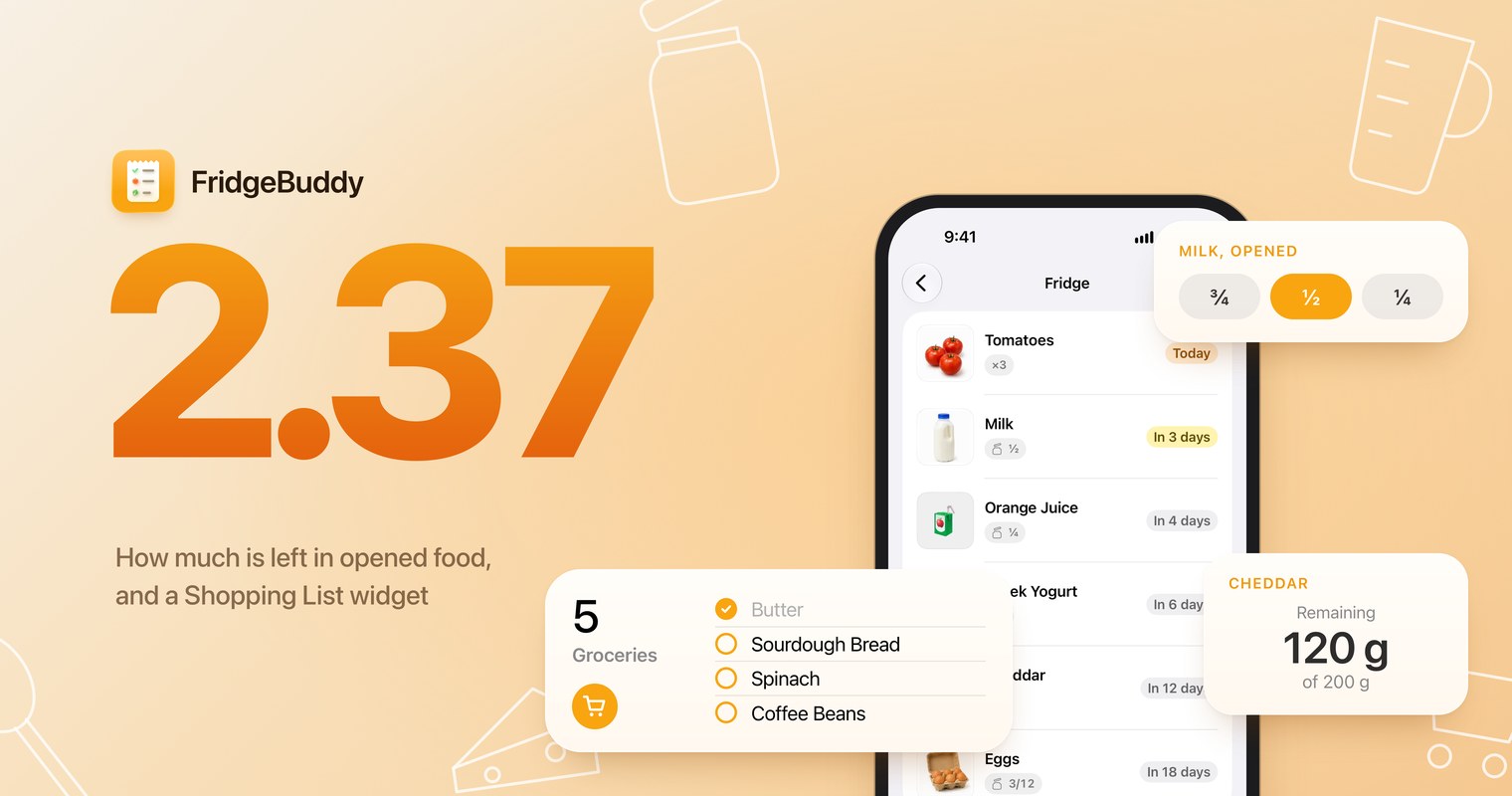
FridgeBuddy 2.37 is out. Until now, a carton of milk you had nearly finished looked exactly like a new one in your inventory. This update fixes that: FridgeBuddy now knows how much is left in what you opened. It was the most requested feature on the feedback board. There is also a new widget for your shopping list.
How much is left
Opened items now say how much is left. Tap the jar on an item’s row and pick ¾, ½ or ¼. The badge keeps the level in the list, so a glance at the fridge tells you which milk to finish first.
The same choices sit behind the jar button at the top of an item’s details. Picking a level on an item you haven’t opened yet, from that button or by touching and holding its row, marks it as opened at the same time.
Things you count in pieces are counted in pieces: half a box of 12 eggs reads 6/12, and a pack of ham with 4 slices out of 6 reads 4/6.
How much is left is free, like the rest of opened-item tracking.
The exact amount, in grams or liters
An item can now carry the size of one package: 500 g, 1 l, 12 pieces. Set it in Per Item when you add or edit an item. When you scan a barcode, FridgeBuddy fills it in from the last time you bought the same product, or from Open Food Facts.
With a size, choose Enter Amount… and type what is left, in the package’s own unit: a 1 kg bag of rice with 287 g left is simply 287 g. The item’s details then read Remaining 120 g of 200 g, and a level reads the same way: half a 250 g block of butter is about 125 g.
Type 0 and FridgeBuddy offers to mark the item as consumed.
Amounts stay within one family of units: grams and kilograms, milliliters and liters, ounces and pounds.
Your shopping list on the Home Screen
The new Shopping List widget shows what is left to buy on the list you choose, yours or one shared with your Household. Tap the circle next to an item to check it off: it leaves the widget and the count goes down, so you can shop without opening the app. Tap anywhere else to open the list.
To add it, touch and hold your Home Screen, tap Edit, then Add Widget, and choose FridgeBuddy. It comes in small, medium and large.
Also in this update
- The new QR codes on food packs. The scanner now reads the GS1 QR codes that are starting to appear on food packaging. When the code carries a use-by or best-before date, the item gets it right away, with no date to scan. Other QR codes on the pack, like a website or recycling info, are ignored.
- Delete a storage on the free plan. You can now delete one of your two storages, not just rename it, and make room for another.