See how far you’ve come.
FitnessStats turns the workouts in Apple Health into clear statistics, route maps, trophies, and yearly Recaps. Share any workout as an image or a video, and keep your data on your iPhone.

Key Features
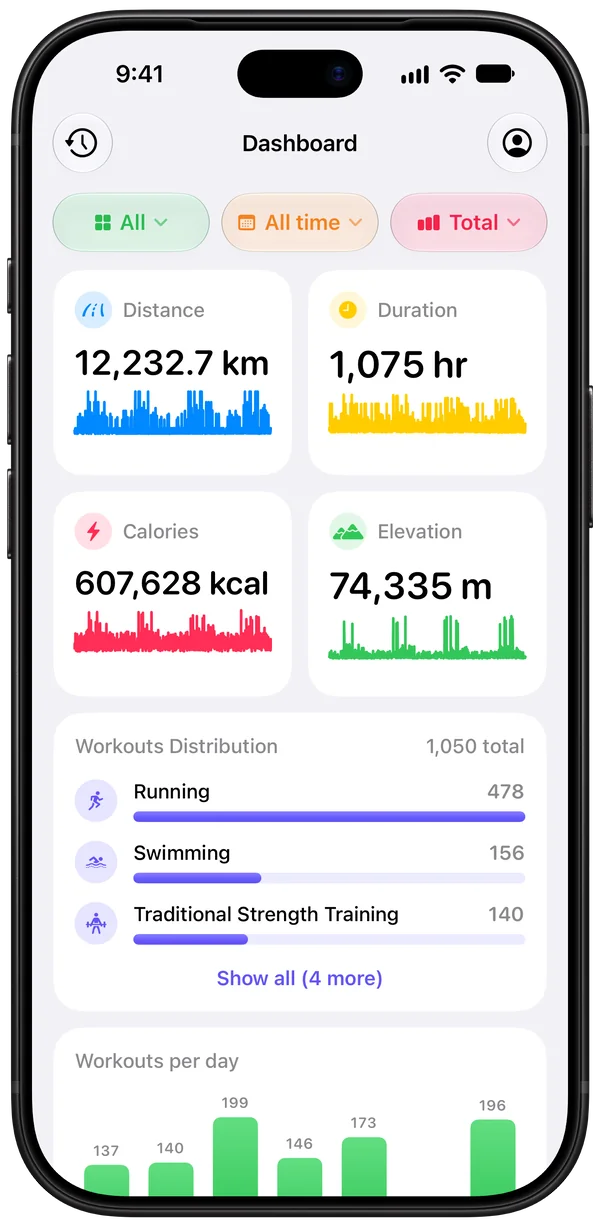
Every stat on one dashboard
Distance, duration, calories, elevation, pace, steps, workout count, and streaks, as totals, averages, or best values.
Any period, any sport
Go from today to all time, and filter by workout type or by the app that recorded the workout.
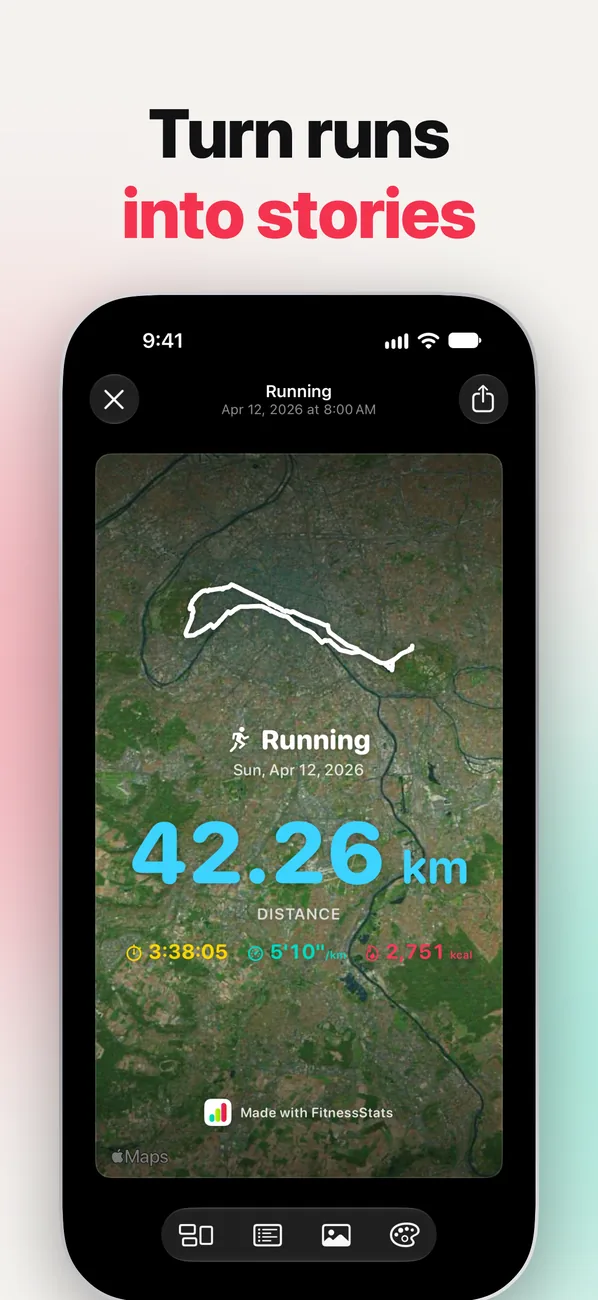
Share any workout
Turn a workout into an image or a video where your route draws itself, on a map, a satellite view, or one of your photos.
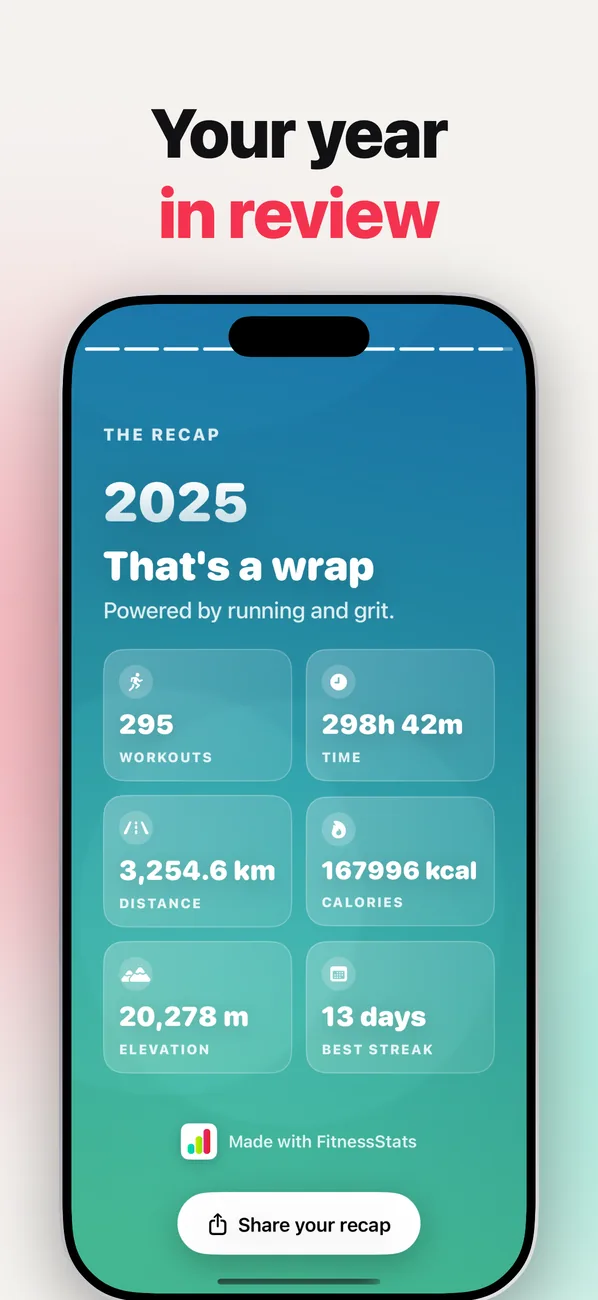
Monthly and yearly Recaps
Relive every month and every year in story-style Recaps, ready to share.
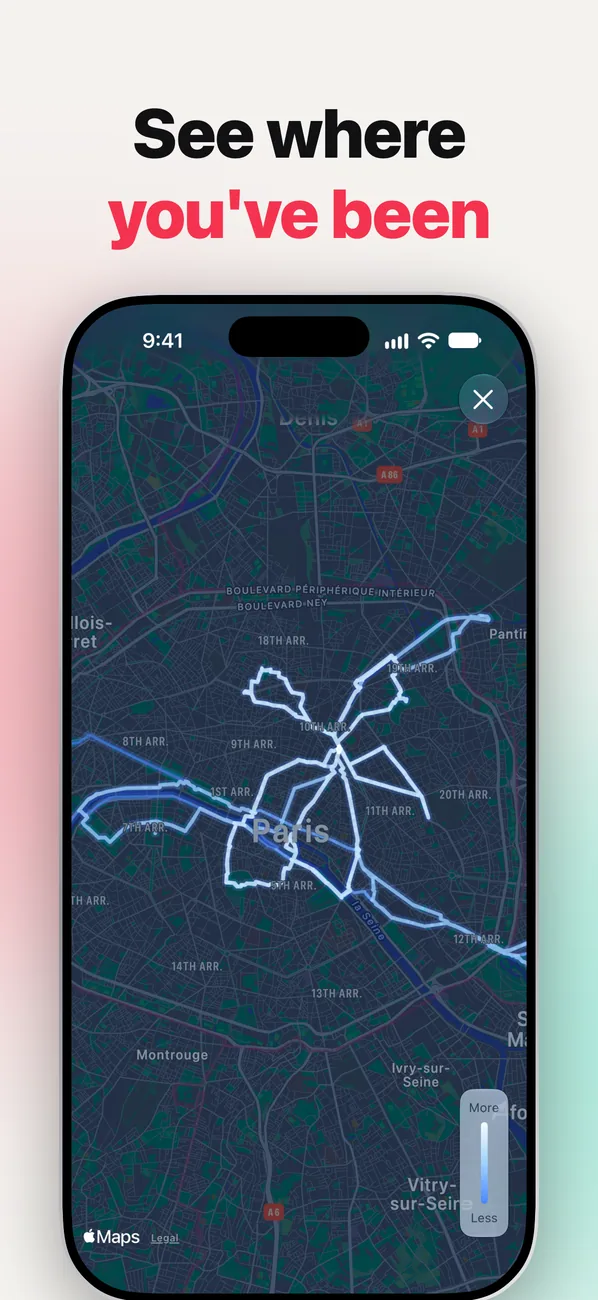
Route heatmap
See every GPS route you have recorded on one interactive map.
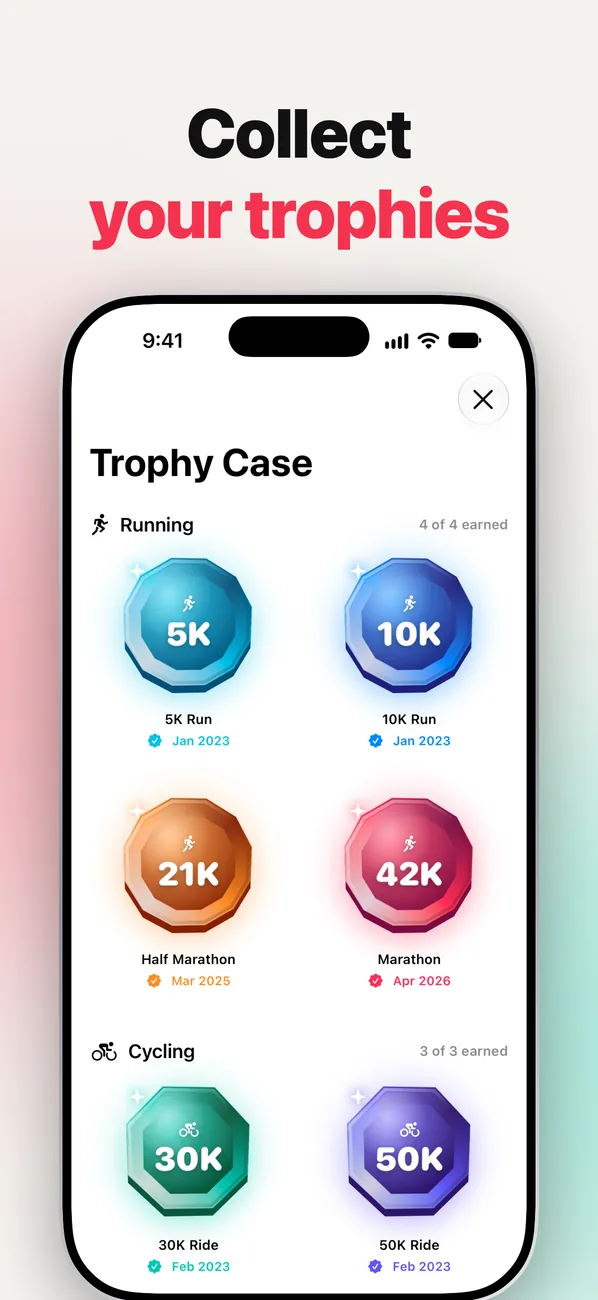
Trophy Case
Earn 20 distance trophies across running, cycling, walking, hiking, swimming, and rowing, from a 1K swim to a 100K ride.
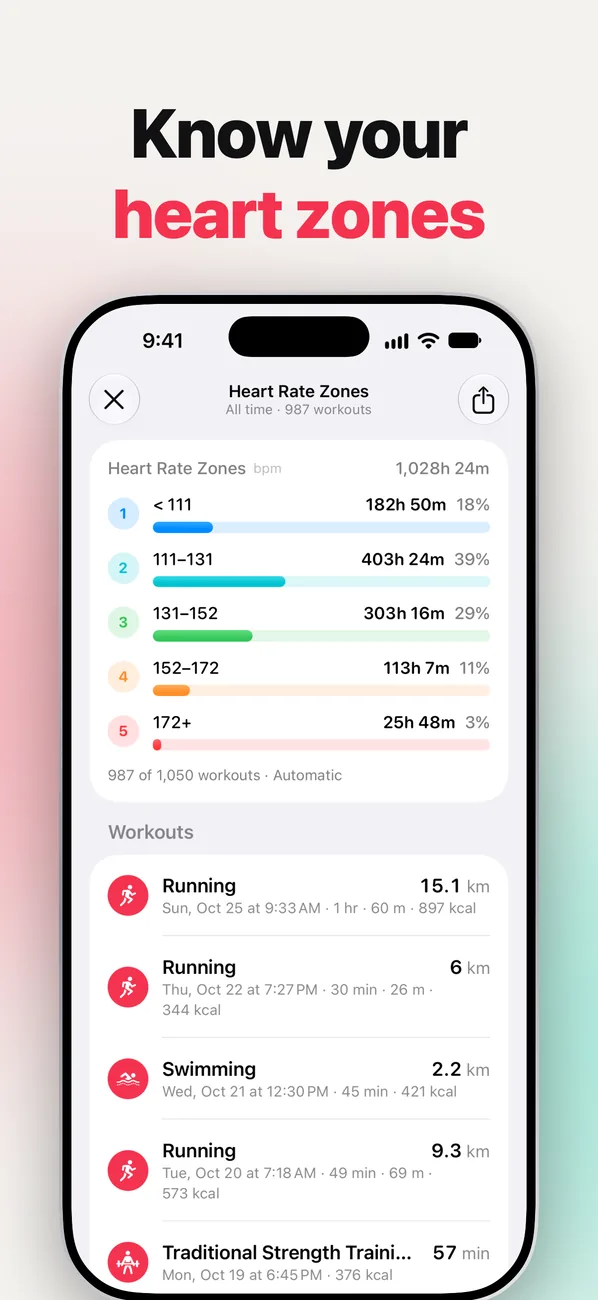
Heart rate zones
On iOS 27, see how your training time splits across heart rate zones for any period.
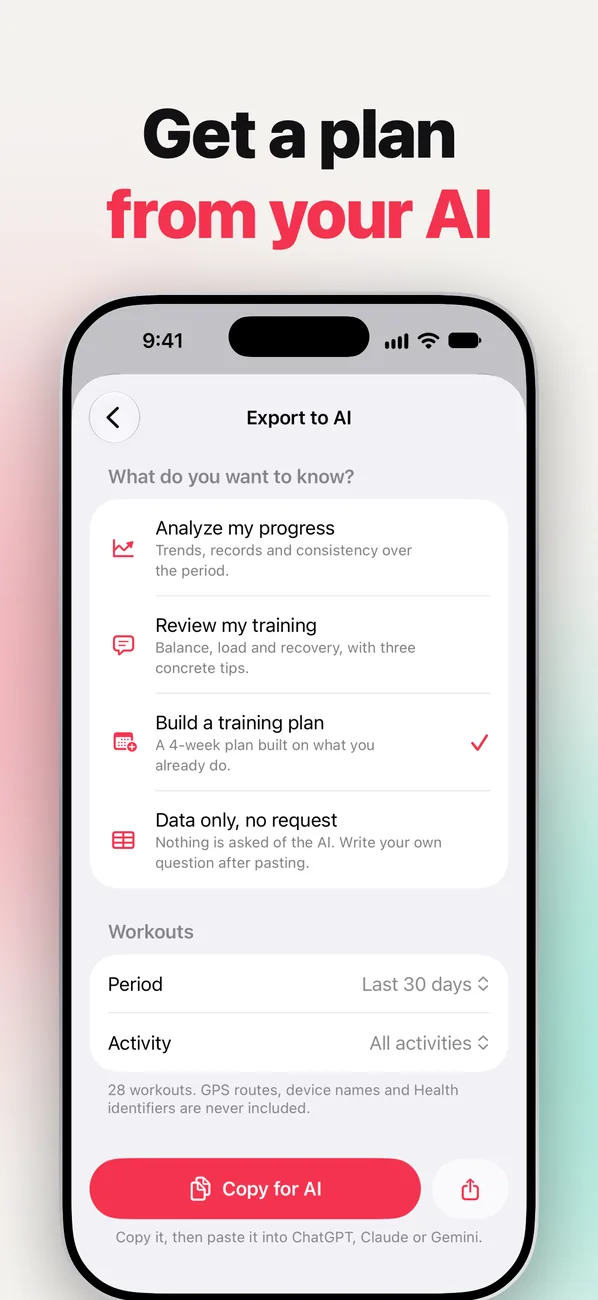
Export to AI
Copy a summary of your training for ChatGPT, Claude, or Gemini, and get an analysis or a 4-week training plan back.
Widgets
Keep your stats on the Home Screen and the Lock Screen.
Private by design
Your workouts are processed on your iPhone. FitnessStats does not upload or share your Apple Health data.
See It In Action
Frequently Asked Questions
Where does FitnessStats get its data?
From Apple Health. FitnessStats reads the workouts saved by your Apple Watch, your iPhone, and other fitness apps. It does not record workouts itself, so each figure is as accurate as the device or app that recorded it.
Does it work with workouts from other apps?
Yes, as long as that app saves its workouts to Apple Health. You can then filter your stats by the app that recorded each workout.
Is my health data private?
Yes. Your workouts are processed on your iPhone, and FitnessStats does not upload or share your Apple Health data. Export to AI only copies a summary when you choose to, and never includes GPS routes, device names, or Health identifiers.
Is FitnessStats free?
FitnessStats is free to download, with your dashboard, periods up to 90 days, and this year’s Recap included. FitnessStats Premium is a one-time purchase, not a subscription. It unlocks longer periods up to all time, past Recaps, the route heatmap, every share layout without the watermark, and CSV and JSON export.
Which devices can I use?
FitnessStats works on iPhone with iOS 26 or later. Heart rate zones need iOS 27. Workouts from your Apple Watch appear through Apple Health on your iPhone.
Is FitnessStats a medical app?
No. FitnessStats is for fitness tracking and information only, and it does not give medical advice. Talk to a qualified health professional before starting or changing an exercise program.
Every workout counts. See them all.
Connect Apple Health, and FitnessStats does the rest.